Showing posts with label Windows 8. Show all posts

Monday, December 16, 2013

Yamicsoft Windows 8 Manager 2.0.0


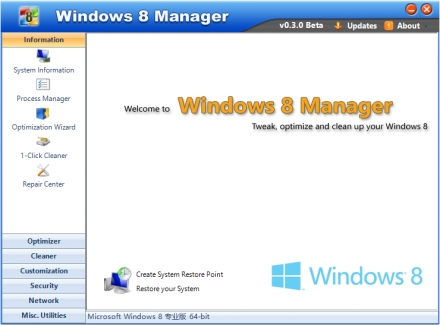
 Windows 8 Manager is a system utility that helps you optimize, tweak, repair and clean up Windows 8. It will increase your system speed, eliminate system fault, improve system security, and meet all of your expectations.Windows 8 Manager is a system utility that helps you optimize, tweak, repair and clean up Windows 8. It will increase your system speed, eliminate system fault, improve system security, and meet all of your expectations. 
 
 Features:
  • Information
  • Optimizer
  • Cleaner
  • Customization
  • Security
  • Network
  • Misc. Utilities

Tuesday, September 17, 2013

8StartButton 2.4.0


8StartButton is a simple-to-use program that brings back the Windows 7 Start menu to Windows 8. It includes other useful features as well, targeting all users who want quick access to frequently used applications, files and folders.

During the installer, you can enable the tool's autorun at startup, as well as disable the Windows 8 small Start area in the bottom left corner of the screen. A system restart is required to apply the new changes.

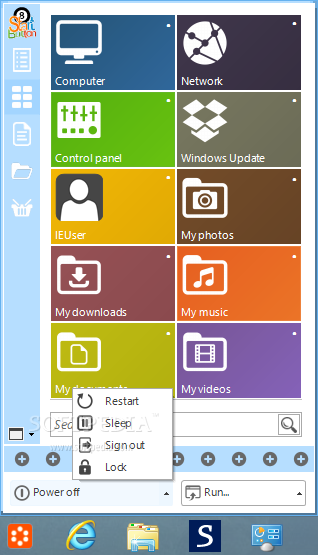
8StartButton creates a button in the bottom left corner of the screen that, once triggered, brings up six other buttons assigned to the 8StartButton Start menu, Windows 8 Start screen, Windows 8 apps screen and search panel, along with computer shutdown, restart and sign out.

The Start menu offers four viewing modes: the one in Windows 7 (with a search function included), Start tiles, recent documents, and file browser. You can adjust the transparency level, hide watermarks, choose the list or file view for the file browser mode, as well as create shortcuts to applications, files or directories.

Right-clicking the app's button lets you access system tasks and the Task Manager, activate a power management option (lock, sign out, sleep, restart, shutdown), run a program, and change the left mouse click action (radial quick access menu, 8StartButton Start menu, Windows 8 apps screen and search panel, or Windows 8 Start screen).

A few settings can be configured for this tool. For example, you can make the app screen and search panel translucent, change the Start button image (preset or custom), allow custom color settings for the Start tile, as well as apply a smooth fade effect for the 8StartButton Start menu.

The application uses low CPU and RAM, and doesn't interrupt normal activity or affect the computer's overall performance. It has a good reaction speed and works well, without causing the OS to hang, crash or pop up error dialogs. All in all, 8StartButton should please all Windows 8 users.

Wednesday, July 31, 2013

Yamicsoft Windows 8 Manager 1.1.4


Windows 8 Manager is a system utility that helps you optimize, tweak, repair and clean up Windows 8. It will increase your system speed, eliminate system fault, improve system security, and meet all of your expectations.Windows 8 Manager is a system utility that helps you optimize, tweak, repair and clean up Windows 8. It will increase your system speed, eliminate system fault, improve system security, and meet all of your expectations.

Features and Benefits of Windows 8 Manager

Information:
Get detailed system and all hardware information on your system; help you find out the installation key of Windows, Office products; show all detailed information of running processes and threads on your machine; Windows 8 Manager offers 1-clicking Cleaner cleans your system automatically; Repair Center helps you to fix various system problems.

Optimizer:
Tweak your system to improve windows startup and shutdown speed, tweak your hardware to increase system speed and performance; Control what is started on Windows startup, check and repair the advanced starup items to restore the malicious change by viruses; Tune up and optimize system services and Task Schedule, turn off smartly some unnecessary system services and tasks to improve system performance.

Cleaner:
Find out which files or folders engross your disk space and shown with chart; Smart Uninstaller can fully delete programs from your system without residual files and Registry entries; Find and clean junk files to increase Hard Disk space; Duplicate Files Finder can scan your computer for files with the same size, name and modification time; Registry Cleaner checks and repair incorrectly linked Registry entries; Registry Defrag rebuilds and re-indexes your Registry to reduce registry access time and therefore improve application responsiveness; Desktop Cleaner can clean useless icons and files on Desktop easily.

Customization:
Customize the look of your system by tweaking system Explorer, Desktop, Start Menu, Taskbar and notification area; Create the quick startup items on Taskbar with the Jump List launcher; Tune up Windows 7 boot menu; Edit context menus of mouse Right-Clicking; Edit easily the Win + X menu that shown when right-click on Desktop bottom-left corner or Win + X keyboard shortcut ; Create the shortcut that executed quick on run dialog box. Visual Customizer can change system and file type icons, custom the logon background.

Security:
Improve system security by tweaking system components, UAC and login settings; Tune up System Restore options; Hide and restrict to access drives and programs; Encrypt/decrypt files, move system folders to safe locations; Undelete the files that accidentally deleted or formatted on disk; Privacy Protector can maintain your personal privacy by eliminating the tracks that you leave behind; Hide, add or delete the Control Panel entries.

Network:
Optimize your Internet connection speed, manage all shares items; Tweak your Internet Explorer easily; IP Switcher can switch your IP address easily on different networks; Edits the Hosts file to speed up surfing internet and permit only to access the specified Hosts.

Misc. Utilities:
Show the collection of Windows utilities; split and merge any files; Automatically back up files regularly using Super Copy. Registry Tools help you to operate Registry easily.

Sunday, June 16, 2013

Win ToolKit 1.4.1.23 Portable + DISM

Win Toolkit is a lightweight and easy to use application that was created in order to help you customize your Windows installation! With this tool you can integrate Addons, Drivers, Gadgets, Language packs, Modified Files, Theme Packs, Tweaks, Silent Installers, Updates. You can also remove features such as Windows MediaPlayer and customize Windows default services state. Win Toolkit also comes with extra tools which helps you convert files, make ISOs, download the latest updates (thanks to SoLoR and McRip), and completely customize your images to tailor your Windows installation disk to your exact needs.

Wednesday, June 5, 2013

HEU KMS Activator v4.3


HEU KMS Activator - small KMS emulator for Windows Vista activation/7/8/Server 2008/2008R2/2012 and Office 2010 VL/Office 2013 VL (32 and 64 bit) without necessity of connection to the Internet, you need only set .NET Framework 4.0. Works without installation and activation not leave any traces in the system. This tool supports 71 version VL (Volume License).

- How to use: 
Click button "Avtivate Vista/7/8/Ser VL" to activate Windows.
Click button "Avtivate Office 2010 VL" to activate Office 2010 VL.
Click button "Avtivate Office 2013 VL" to activate Office 2013 VL.
Click button "Office Retail to VL" to convert Office Retail Edition to VOL Edition.

- Parameters: 
/? Check parameters
/w Activate Windows Vista/7/8/Server
/o Activate Office 2010/2013 VOL
/p Install Or Uninstall Permanent Service (Keep activation status permanently)

- Based on KMS Server Emulator,thanks to CODYQX4 and s1ave77.

Activate Editions:
Windows Vista Business Windows Server 2008 Standard
Windows Vista Business N Windows Server 2008 Enterprise
Windows Vista Enterprise Windows Server 2008 Datacenter
Windows Vista Enterprise N Windows Server 2008 Compute Cluster (HPC)
Windows 7 Professional Windows Server 2008 Standard??No Hyper-V? 
Windows 7 Professional N Windows Server 2008 Enterprise??No Hyper-V? 
Windows 7 Professional E Windows Server 2008 Datacenter??No Hyper-V? 
Windows 7 Enterprise Windows Server 2008 Itanium
Windows 7 Enterprise N Windows Server 2008 Web
Windows 7 Enterprise E Windows Server 2008 R2 Standard
Windows 8 Professional Windows Server 2008 R2 Enterprise
Windows 8 Professional N Windows Server 2008 R2 Datacenter
Windows 8 Enterprise Windows Server 2008 R2 Compute Cluster (HPC)
Windows 8 Enterprise N Windows Server 2008 R2 Itanium
Windows 8 Professional WMC Windows Server 2008 R2 Multipoint
Windows 8 Core Windows Server 2008 R2 Web
Windows 8 Core N Windows Server 2012 Standard
Windows 8 Core ARM Windows Server 2012 Datacenter
Windows 8 Core Country Specific Windows Server 2012 MultiPoint Premium
Windows 8 Core Single Language Windows Server 2012 MultiPoint Standard

Office 2010 Professional Plus Office 2013 Professional Plus
Office 2010 Project Professional Office 2013 Project Professional
Office 2010 Visio Professional Office 2013 Visio Professional
Office 2010 Visio Premium Office 2013 Standard
Office 2010 Standard Office 2013 Project Standard
Office 2010 Project Standard Office 2013 Visio Standard
Office 2010 Visio Standard Office 2013 Access
Office 2010 Access Office 2013 Excel
Office 2010 Excel Office 2013 InfoPath
Office 2010 SharePoint Office 2013 Lync
Office 2010 InfoPath Office 2013 OneNote
Office 2010 OneNote Office 2013 Outlook
Office 2010 Outlook Office 2013 PowerPoint
Office 2010 PowerPoint Office 2013 Publisher
Office 2010 Publisher Office 2013 Word
Office 2010 Word

Change Log:
-Window displays in the middle of the screen.

Tuesday, June 4, 2013

Win8Loader.1.7.9


Windows 8 Loader new activator for all editions of Windows 8. After application of the activator you get activation. All activation takes place in one click, run the activator and you have activated Windows 8.

Activation of 100% of all copies of Windows 8
This crack is activated  - x86 (32-bit)

  • Windows 8 x86
  • Windows 8 N x86
  • Windows 8 Pro x86
  • Windows 8 Pro VL x86
  • Windows 8 Pro N x86
  • Windows 8 Pro with Media Center x86
  • Windows 8 Enterprise x86
  • Windows 8 Enterprise N x86
  • x64 (64-bit)
  • Windows 8 x64
  • Windows 8 N x64
  • Windows 8 Pro x64
  • Windows 8 Pro VL x64
  • Windows 8 Pro N x64
  • Windows 8 Pro with Media Center x64
  • Windows 8 Enterprise x64
  • Windows 8 Enterprise N x64
  • Activate Windows 8 Enterprise
  • Activate Windows 8 Professional
  • Activate Microsoft Office 2013
  • Activate Microsoft Office Visio 2013
  • Activate Microsoft Office Project 2013
  • Activate Microsoft Office 2010
  • Activate Microsoft Office Visio 2010
  • Activate Microsoft Office Project 2010
  • Activate Windows 7 Enterprise
  • Activate Windows 7 Professional
  • Activate Windows Vista Enterprise

Monday, June 3, 2013

Windows 8 - Torrent - English


Windows 8 is the current release of the Windows operating system, produced by Microsoft for use on personal computers, including home and business desktops, laptops, tablets, and home theater PCs. Development of Windows 8 started before the release of its predecessor in 2009. Its existence was first announced at CES 2011, and followed by the release of three pre-release versions from September 2011 to May 2012. The operating system was released to manufacturing on August 1, 2012, and was released for general availability on October 26, 2012.

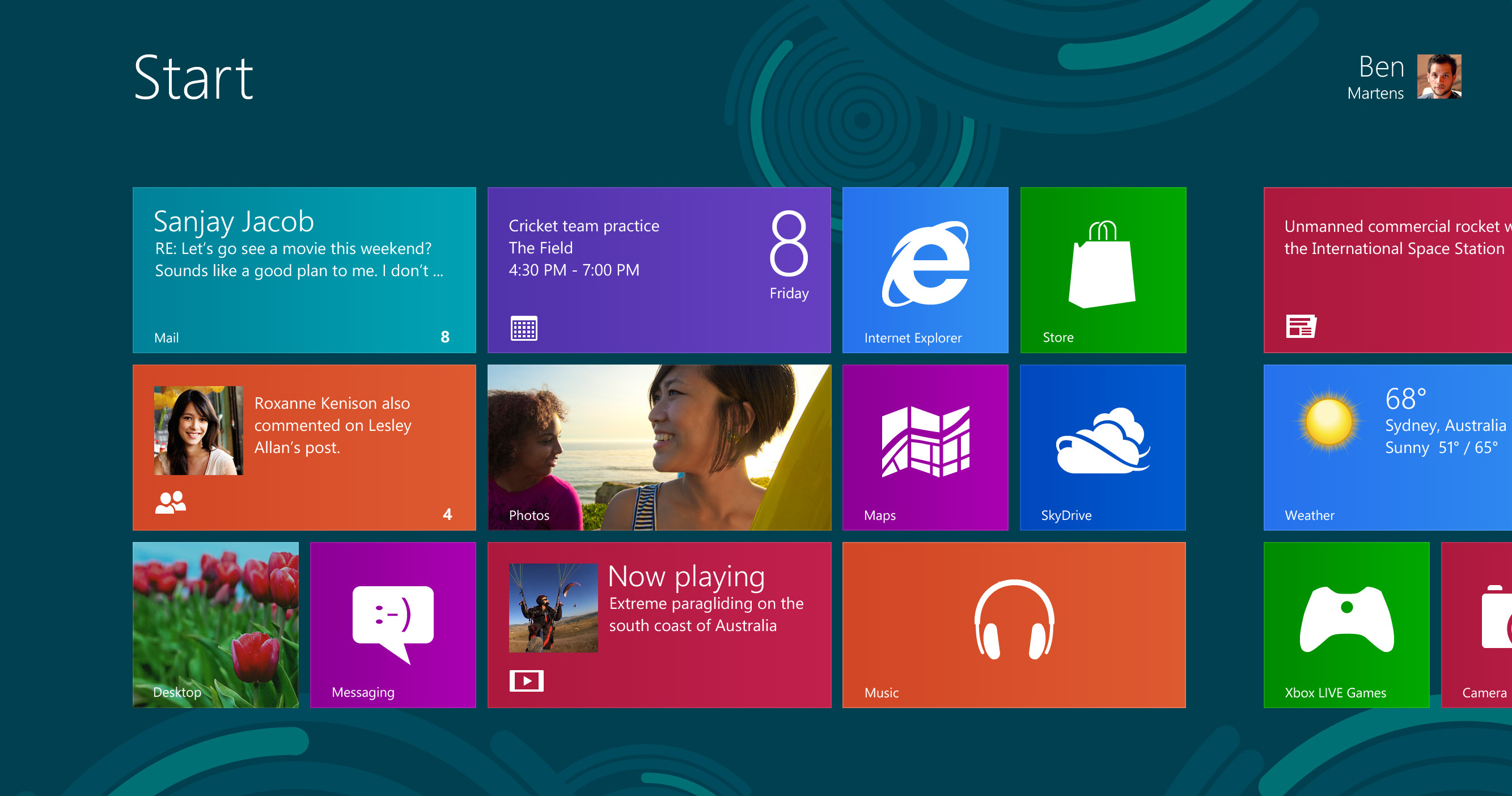
Windows 8 introduces significant changes to the operating system's platform, primarily focused towards improving its user experience on mobile devices such as tablets to rival other mobile operating systems like Android and iOS, taking advantage of new or emerging technologies like USB 3.0, UEFI firmware, near field communications, cloud computing and the low-power ARM architecture, new security features such as malware filtering, built-in antivirus capabilities, a new installation process optimized for digital distribution, and support for secure boot (a UEFI feature which allows operating systems to be digitally signed to prevent malware from altering the boot process), the ability to synchronize certain apps and settings between multiple devices, along with other changes and performance improvements. Windows 8 also introduces a new shell and user interface based on Microsoft's "Metro" design language, featuring a new Start screen with a grid of dynamically updating tiles to represent applications, a new app platform with an emphasis on touchscreen input, and the new Windows Store to obtain and/or purchase applications to run on the operating system.

Pack contains:
  • Windows 8 Original Image From Microsoft MSDN | English | Torrent
  • Windows 8 N Original Image From Microsoft MSDN | English | Torrent
  • Windows 8 AIO | Torrent