Showing posts with label Office. Show all posts

Monday, September 16, 2013

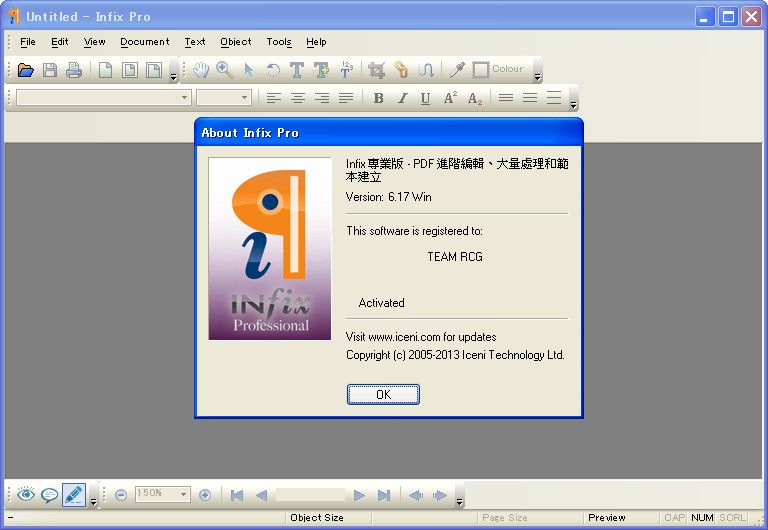
Portable Infix PDF Editor 6.1.7.0


Infix PDF editor lets you open, edit and save PDF files. It easy and quick? you can change text, fonts, images and more. And, unlike other PDF editors, it works like normal word processing so it really easy to use.

Key features:
  • - Works like a word processor: no tricky tools to figure out
  • - Edit practically anything: text, font sizes, images and more
  • - Keeps text tidy: reflows paragraphs and columns automatically
  • - Copy graphics and text between PDF files
  • - Search and replace: in one file or across several at once
  • - Create PDFs too – from any document: it’s as easy as printing or scanning

Sunday, August 18, 2013

Neuxpower NXPowerLite for File Servers 5.1.4


NXPowerLite for File Servers reclaims storage space by replacing large PDF, Microsoft Office and JPEG files with smaller optimized versions. Slow down your storage growth, reclaim wasted capacity and keep your servers running smoothly with our simple but powerful software utility.

Four reasons why you need NXPowerLite for File Servers:
 You want to control the rate of storage growth.
 Your backups are taking too long.
 You're running a data migration project.
 You don't have the budget for more storage and are running out of space.

NXPowerLite Quick Scan
 See what you might save in just a few minutes with our Quick Scan utility. It will generate a detailed report by scanning your content and comparing it with average reductions from our other customers to quickly estimate how much storage could be reclaimed using NXPowerLite.

NXPowerLite Evaluation Scan
 Our evaluation scan takes longer, but in this mode you will get an accurate report of exactly how much storage you can reclaim. NXPowerLite optimizes a temporary copy of each file, taking note of the size difference between the original and optimized versions before deleting the temporary file. When it has finished processing all of the files, NXPowerLite generates a report detailing the total expected space savings.

Tuesday, August 13, 2013

Aostsoft All Document Converter Professional 3.8.8


Aostsoft All Document Converter Professional is an easy-to-use and professional document conversion tool. It can batch convert office Word, PowerPoint, Excel , PDF , Text, HTML and Images with high output quality and fast conversion speed. It can supports comprehensive formats: Office Word(doc, docm, docx), Excel(xls, xlsx, xlsm), PowerPoint(ppt, pptc, pptm,pps, ppsx, ppsm), rtf, PDF, txt, html, htm, jpeg, jpg, bmp, tiff, gif, wmf, emf, psd, png, jp2, j2k etc. More setting options to let you control the output file more accurately.

Key Features:
  • It is a standalone program which does not need Adobe Acrobat software support.
  • It provides user-friendly interface.
  • Supports to choose the entire folder and sub-folder to convert.
  • Supports to add files, folder by dragging and dropping.
  • Supports saving output files in the same folder as original files.
  • Supports to customize the output folder.
  • Supports to convert image files to editable Word,RTF,HTML,TXT document.(OCR) .
  • Supports to convert DOCX, DOCM, XLSX, XLSM, PPTX, PPTM, PPSX, PPSM of MS-Office 2007/2010.
  • Supports to convert encrypted PDF file.
  • Supports to convert the whole PDF file or you can choose specific pages.
  • Supports to customize DPI when convert PDF to SWF, Image format.
  • Supports to convert PDF to PowerPoint,Word, Excel, Html, Image with preserve the original content, layout etc.
  • Supports to convert each page of PDF to single HTML, Image Gif, TIFF file.
  • Supports to convert Word, Excel, PowerPoint, Image to PDF with preserve the original content, layout etc.
  • Supports to convert each slides of PowerPoint to single PDF.
  • Supports to resize image to fit PDF page size.
  • Supports to creat PDF with user and owner password protection.
  • Supports to convert multi-page PowerPoint,Word,Rtf, TIFF, and GIF to multi-page PDF.
  • Supports to convert each page content of Word/Rtf to single Image file.
  • Supports to merge converted image files to multi-page PDF/Word/Excel/PowerPoint/Tiff/multi-frame SWF/Gif.
  • Supports to convert multi-page TTif/Gif to multi-page PowerPoint/Word/Rtf/Excel.
  • Supports to split TXT to multi-page powerpoint using delimiter (eg:~~).
  • Supports to split TXT to multi-page powerpoint using blank line.
  • Supports to convert multi-page TIFF and animated GIF images.


Thursday, August 1, 2013

Batchwork Doc to PDF Converter 2013.5.718.1700


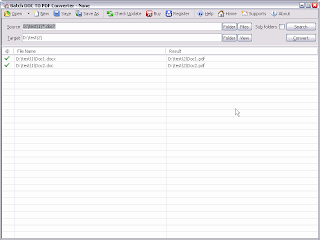
Batch Word to PDF Converter Word to PDF, DOC/DOCX to PDF Batch Converter. Word to PDF, DOC/DOCX to PDF Batch Converter publish Word DOC to PDF format.

Batch DOC TO PDF Converter is a Word to PDF, DOC/DOCX to PDF Batch Converter that can convert Word DOC/DOCX to PDF (Portable Document Format) easily. Batch DOC TO PDF Converter supports powerful search for a lot of files. A PDF publisher for Word.

Batch DOC TO PDF Converter supports project and command line. Batch DOC TO PDF Converter has a friendly GUI so it is used very easily. Batch DOC TO PDF Converter Drag and Explorer Context supported.

Batch DOC TO PDF Converter supports an efficient Multi-Thread conversion engine. So you could control the conversion action very easily. You can stop or pause and continue it in any time.

You can save your conversion work in a project file (.batch-doc2pdf) for re-use. You can run the batch-doc2pdf project in Microsoft Windows Explorer or command line directly.

The main features of Batch Word to PDF Converter:
Convert Word DOC/DOCX to PDF (Portable Document Format) easily.
Batch convert DOC to PDF with GUI that supports powerful search function.
Supports convert a doc/docx file.
Supports convert doc/docx files in a folder.
Drag and context menu with Microsoft Explorer supported.
Supports batch project and command line.
An efficient high-speed Multi-Thread conversion engine.

Tuesday, July 23, 2013

ABBYY FineReader 11.0.113.164 Corporate Edition Lite

ABBYY Fine Reader - Smart Optical Character Recognition, or OCR (from the English. Optical Character Recognition), which allows you to convert various document types (eg, paper documents, PDF-files or photos of text, obtained by means of a digital camera) into editable form, with full-text search. The results can be edited in the programs of Microsoft ® Office, save in different formats, send an e-mail and publish on the Internet.

ABBYY Fine Reader 11 will increase the productivity of employees of the organization by increasing the speed of processing of documents up to 45% and improve recognition accuracy of paper documents and all types of PDF-files. Improved automation and scheduling batch processing greatly simplifies the digitization of documents. The program added a tool to remove confidential information, and ABBYY Business Card Reader - application for transfer of data from business cards into electronic format.

Key features:
The high accuracy and speed of document conversion
With unsurpassed precision program recognizes your scanned or photographed documents, converting them into editable electronic formats and PDF with text layer and search capability. The new black-and-white document processing faster and 30% compared with the recognition of color images, which also saves up to 70% of hard drive space.

Freedom of retyping and reformatting documents
Thanks to technology Advanced Docu ment Recognition Technology (ADRT) ABBYY FineReader 11 is excellent preserves the original structure of multi-page documents, including the location of the text, tables, headers, footers, footnotes, page numbers, contents, tables of contents, etc.
Improved conversion of PDF files into editable formats

The program converts any type of PDF-files to PDF and PDF / A with search capability, which is especially useful when creating electronic archives. Supported security settings for PDF.
The improved interface will increase productivity

New Style Editor will format the documents directly to the ABBYY FineReader 11. Users can browse all the styles used in the document, modify, or merge them. Changes are automatically applied to the entire document, eliminating the manual adjustment. Improved test mode allows you to quickly recognize the result of errors in the text.

Supports a wide range of formats conservation results
The program supports a wide range of formats for saving documents required in your work. You will be able to write the results to a file or send them directly to applications Microsoft Word, Excel, PowerPoint, Adobe Acrobat, WordPerfect, OpenOffice.org Writer, etc.

Create e-books in popular formats fb2, ePub
The program supports the preservation of the most popular e-book formats (fb2, ePub, etc.), it will quickly make an electronic copy for portable devices - book-reader, tablet, smartphone, etc.
Tools for image processing of documents

Improved image editor includes a complete set of tools for preprocessing images of documents obtained by the camera or mobile camera devices. Users can adjust the brightness and contrast of images, intensity levels of light and shadow, correct distortions typical shoot digital camera.

Features repack:

  • Does not require registration (patch Pafnutiy761)
  • Licensing Service and the license server are removed.
  • Bin.cab, DictLang.cab extracted for better compression distribution.
  • Interface languages ​​Russian and English (a choice at installation), other interface languages ​​and help files - removed.
  • Removed complete fonts.
  • Leaving a trail of recognition languages ​​(the others are removed): English, French, German, Greek (included for the recognition of mathematical formulas), Italian, Portuguese, Russian, Spanish, Ukrainian, formal languages​​.
  • Removed from the setup menu on / off auto-ScreenShot Reader and sending information about "settings" in ABBYY (disabled).
  • The possibility of both standard and automatic installation of the program, with the Russian or English language interface.If there is next to the distro automatically picked up from external configuration files, programs and / or additional (not included in the repack) recognition languages​​.


Wednesday, June 5, 2013

HEU KMS Activator v4.3


HEU KMS Activator - small KMS emulator for Windows Vista activation/7/8/Server 2008/2008R2/2012 and Office 2010 VL/Office 2013 VL (32 and 64 bit) without necessity of connection to the Internet, you need only set .NET Framework 4.0. Works without installation and activation not leave any traces in the system. This tool supports 71 version VL (Volume License).

- How to use: 
Click button "Avtivate Vista/7/8/Ser VL" to activate Windows.
Click button "Avtivate Office 2010 VL" to activate Office 2010 VL.
Click button "Avtivate Office 2013 VL" to activate Office 2013 VL.
Click button "Office Retail to VL" to convert Office Retail Edition to VOL Edition.

- Parameters: 
/? Check parameters
/w Activate Windows Vista/7/8/Server
/o Activate Office 2010/2013 VOL
/p Install Or Uninstall Permanent Service (Keep activation status permanently)

- Based on KMS Server Emulator,thanks to CODYQX4 and s1ave77.

Activate Editions:
Windows Vista Business Windows Server 2008 Standard
Windows Vista Business N Windows Server 2008 Enterprise
Windows Vista Enterprise Windows Server 2008 Datacenter
Windows Vista Enterprise N Windows Server 2008 Compute Cluster (HPC)
Windows 7 Professional Windows Server 2008 Standard??No Hyper-V? 
Windows 7 Professional N Windows Server 2008 Enterprise??No Hyper-V? 
Windows 7 Professional E Windows Server 2008 Datacenter??No Hyper-V? 
Windows 7 Enterprise Windows Server 2008 Itanium
Windows 7 Enterprise N Windows Server 2008 Web
Windows 7 Enterprise E Windows Server 2008 R2 Standard
Windows 8 Professional Windows Server 2008 R2 Enterprise
Windows 8 Professional N Windows Server 2008 R2 Datacenter
Windows 8 Enterprise Windows Server 2008 R2 Compute Cluster (HPC)
Windows 8 Enterprise N Windows Server 2008 R2 Itanium
Windows 8 Professional WMC Windows Server 2008 R2 Multipoint
Windows 8 Core Windows Server 2008 R2 Web
Windows 8 Core N Windows Server 2012 Standard
Windows 8 Core ARM Windows Server 2012 Datacenter
Windows 8 Core Country Specific Windows Server 2012 MultiPoint Premium
Windows 8 Core Single Language Windows Server 2012 MultiPoint Standard

Office 2010 Professional Plus Office 2013 Professional Plus
Office 2010 Project Professional Office 2013 Project Professional
Office 2010 Visio Professional Office 2013 Visio Professional
Office 2010 Visio Premium Office 2013 Standard
Office 2010 Standard Office 2013 Project Standard
Office 2010 Project Standard Office 2013 Visio Standard
Office 2010 Visio Standard Office 2013 Access
Office 2010 Access Office 2013 Excel
Office 2010 Excel Office 2013 InfoPath
Office 2010 SharePoint Office 2013 Lync
Office 2010 InfoPath Office 2013 OneNote
Office 2010 OneNote Office 2013 Outlook
Office 2010 Outlook Office 2013 PowerPoint
Office 2010 PowerPoint Office 2013 Publisher
Office 2010 Publisher Office 2013 Word
Office 2010 Word

Change Log:
-Window displays in the middle of the screen.
Tuesday, June 4, 2013

Win8Loader.1.7.9


Windows 8 Loader new activator for all editions of Windows 8. After application of the activator you get activation. All activation takes place in one click, run the activator and you have activated Windows 8.

Activation of 100% of all copies of Windows 8
This crack is activated  - x86 (32-bit)

  • Windows 8 x86
  • Windows 8 N x86
  • Windows 8 Pro x86
  • Windows 8 Pro VL x86
  • Windows 8 Pro N x86
  • Windows 8 Pro with Media Center x86
  • Windows 8 Enterprise x86
  • Windows 8 Enterprise N x86
  • x64 (64-bit)
  • Windows 8 x64
  • Windows 8 N x64
  • Windows 8 Pro x64
  • Windows 8 Pro VL x64
  • Windows 8 Pro N x64
  • Windows 8 Pro with Media Center x64
  • Windows 8 Enterprise x64
  • Windows 8 Enterprise N x64
  • Activate Windows 8 Enterprise
  • Activate Windows 8 Professional
  • Activate Microsoft Office 2013
  • Activate Microsoft Office Visio 2013
  • Activate Microsoft Office Project 2013
  • Activate Microsoft Office 2010
  • Activate Microsoft Office Visio 2010
  • Activate Microsoft Office Project 2010
  • Activate Windows 7 Enterprise
  • Activate Windows 7 Professional
  • Activate Windows Vista Enterprise

Monday, May 27, 2013

Portable WSUS Offline Update 8.4


The program allows you to update Windows and Office products offline. As you know, Microsoft regularly releases updates to its core products - Windows and Office, and these updates are installed automatically, but only if the computer on which they are installed, connected to the Internet. WSUS Offline Update provides the ability to update Windows and Office offline.

The principle of operation is that the program is the built-in client allows you to get the latest updates on the computer connected to the Internet, where they can be burned to DVD in the future to use the disk to update other computers already offline.

One feature of WSUS Offline Update is that the program allows you to exclude from the list of downloaded some updates (bulky service packs, etc.), and to configure a number of other parameters, such as which of the locations (Russian, English, etc. d) Windows and Office is required to download updates.

Change in WSUS Offline Update 8.4
- UpdateInstaller script will now remind user's presets inbetween manual recalls (Thanks to "paul1149")
- DoUpdate.cmd script will now beep to request manual reboots (Thanks to "paul1149")
- Fix: Microsoft does not support dynamic determination of Updates for Office 2013 (Thanks to W. Wenzel)
- Fix: Installation part missed updates for Internet Explorer 10 (Thanks to "Gerby")
- Fix: UpdateGenerator script will now check installation state of Trusted Root Certificates (Thanks to "boco")
- Fix: UpdateGenerator script will now block UNC script paths (Thanks to "hereiam")
- Fix: UpdateGenerator and UpdateInstaller scripts will now block invalid %TEMP% paths (Thanks to "e2020" and "aker")
- Fix: Double-quoted parameter check could prevent installation of Office File Converter Pack (Thanks to "Rassilon")
- Fix: Download part missed PowerPoint 2007 Security Update kb2596764 due to a bug in Microsoft's update catalog file wsusscn2.cab
- Fix: Language messages and prerequisites' problem corrected in Linux scripts (Thanks to H. Hullen)
- Fix: Invalid download paths for C++ Runtime Libraries in Linux script DownloadUpdates.sh (Thanks to H. Hullen)
- Fix: Differences between Linux and Windows download parts (Thanks to "talou" and H. Hullen)


Password : V1wEBnn8