Showing posts with label Photo Editor. Show all posts

Friday, April 4, 2014

Ashampoo Photo Commander 11 v11.1.4


­

Everything out of the box: view, organize, edit, present and share your photos. Ashampoo Photo Commander 11 combines menus, ribbons, side-panes and wizards into an intuitive user interface with customizable view modes for easy handling. And thanks to mini maps, scrolling within large images no longer requires dragging separate scrollbars.


Key Features:
  • NEW! Go back in time and reverse image modifications through the integrated backup feature
  • NEW! Achieve faster results with performance-enhanced viewing and optimization routines
  • NEW! Apply effects with pixel-precision through the Effect Pen tool and enjoy live previews for instant visual feedback
  • NEW! Turn your photos into stunning miniature scenes with the Tilt-Shift tool
  • NEW! Use auto-detection to select and remove unwanted image elements and scratches
  • NEW! Work with 3D images
  • NEW! Load, save and view Adobe XMP metadata information
  • …and much more!

Tuesday, October 22, 2013

Portable Photo Montage Guide 1.5.3


Photo Montage Guide - separates solid objects from an arbitrary background, applies background effects (filling, shadowing, blur, monochrome), allows transferring objects to another photo, makes a photomontage, allows you to change the size or aspect ratio of an image keeping the "important" features intact and remove objects from photo without visible traces.

This program offers the following tools:
  • Resize - allows you to change the image size.
  • Crop - allows you to cut out an area of an image.
  • Text - designed for inscribing images.
  • Separation - allows you to separate an object from its background and to store it for later transfer to another photo; applies background effects.
  • Paste Object - pastes a separated image into another photo.
  • Smart Remove - removes objects without visible traces.
  • Smart Size - changes the image size removing "unnecessary" portions while keeping the "important" features intact.
  • Smart Patch - allows to apply a patch from one area of an image to another. 

Monday, October 7, 2013

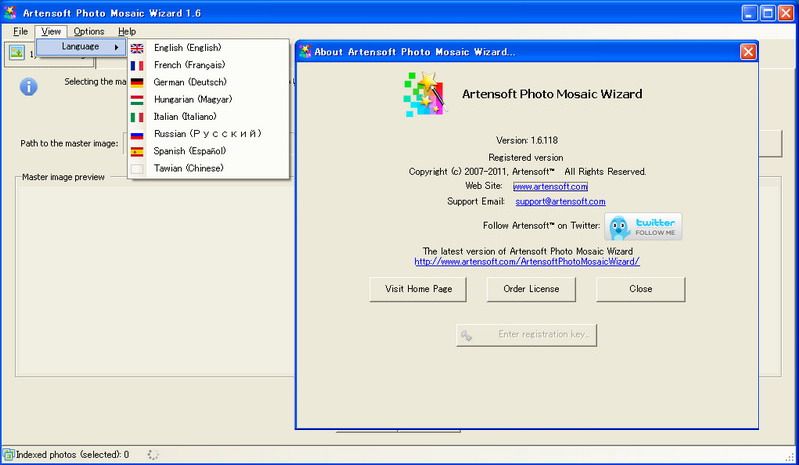
Portable Artensoft Photo Mosaic Wizard 1.6.118


Artensoft Photo Mosaic Wizard builds perfect photo mosaics out of your own images in just seconds. Have great fun with friends and family, produce perfect photo gifts, and make unique posters in five easy steps! Artensoft Photo Mosaic Wizard is great for designing and printing photo wallpaper, producing exclusive collages, and building photo montages that look great from afar and perfect from up close.

Building a photomosaic could not be made easier. The steps to create your very own photo mosaic are:
1. Select your master picture (an image to be seen from afar);
2. Select the tiles (choosing one or more folders with pictures will do; the more you have, the better);
3. Click to build the mosaic! (Or choose your own settings);
4. Move, resize, or replace tiles to perfect your collage, or simply skip to;
5. Saving your photomosaic to the file.

True Photo Mosaic
Artensoft Photo Mosaic Wizard builds true photo mosaics by carefully choosing, matching, and fitting each individual tile to form the master image. The photographic mosaic software does that without resorting to tricks such as blending cell images into a master image with color overlays. Instead, it solves a complex mathematical equation of fitting cell images the best possible way to produce stunning and very realistic mosaics.

Perfect Photo Collages   
Not satisfied with a photo mosaic created by Artensoft Photo Mosaic Wizard automatically? You can move, resize or replace individual tiles to perfect the collage.

Unlimited Photographic Possibilities
Unleash your creativity with Artensoft Photo Mosaic Wizard! The possibilities provided by this little tool are nearly endless. From photo wallpaper to poster-size montages and photo mosaics, Artensoft Photo Mosaic Wizard will impress your friends and entertain your family members of all generations.

Photoshop Not Required
Artensoft Photo Mosaic Wizard is fully stand-alone photographic mosaic software that does not need any third-party software to work. The tool will produce realistic mosaics without you having to have any designer or photo editing skills. You’ll just need a Windows PC and a few photos to make the mosaic of.

Monday, September 30, 2013

ACD Systems ACDSee Photo Editor 6.0.343


Discover your inner photo editing genius. ACDSee Photo Editor 6 makes it easy to create the photos you’ve always envisioned. Apply stunning effects and filters, work with object layers effortlessly, quickly correct common photo flaws, and make advanced edits like a pro. With ACDSee Photo Editor 6, you have the power to transform any shot into your most extraordinary one yet.